

Chris
June 24, 2024
FEATURED
Gemini in the side panel of Gmail is rolling out now
What’s changing In addition to the recent announcement of Gemini in the side panel of Google Docs, Google Sheets, Google Slides, and Drive, we’re excited to introduce the general availability of Gemini in the Gmail side panel. Built to leverage Google’s most capable models, including the Gemini 1.5 Pro model with a longer context window and more advanced reasoning
Join our AI & tools
news weekly newsletter!
What’s changing
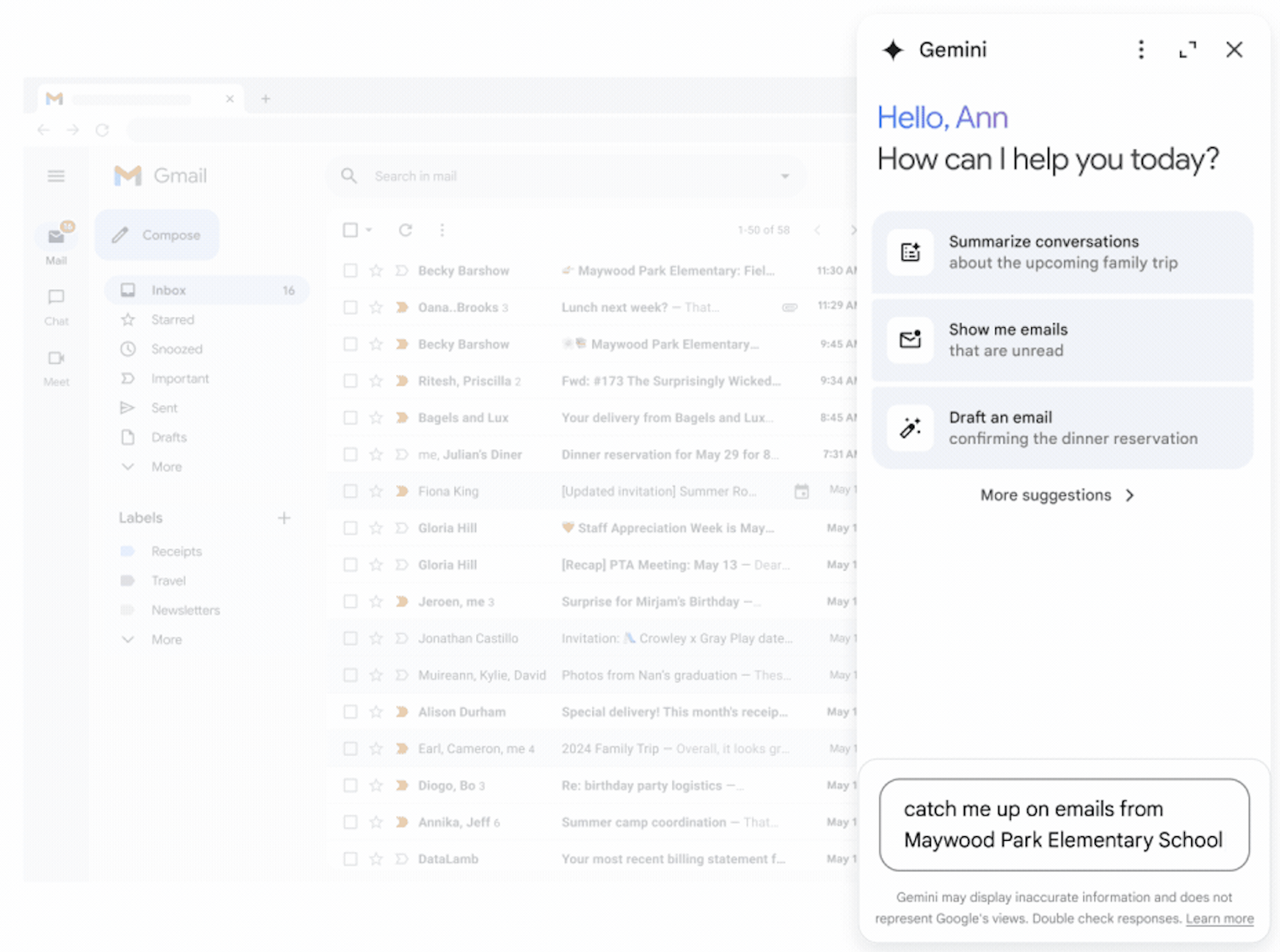
In addition to the recent announcement of Gemini in the side panel of Google Docs, Google Sheets, Google Slides, and Drive, we’re excited to introduce the general availability of Gemini in the Gmail side panel. Built to leverage Google’s most capable models, including the Gemini 1.5 Pro model with a longer context window and more advanced reasoning, you can now use Gemini in Gmail on web to:
* Summarize an email thread
* Suggest responses to an email thread
* Get help drafting an email
Ask questions and find specific information from emails within your inbox or from your Google Drive files
While Gemini in Gmail will provide proactive prompts to help you get started, you can also ask freeform questions.
For example, you can ask Gemini to search your inbox for things like "What was the PO number for my agency?", "How much did the company spend on the last marketing event?", or "When is the next team meeting?".
And just like that, you’ll have the information you need to quickly reply without having to ever leave Gmail. AI translation, on the other hand, has come quite far in recent years. These days, you can regularly see people communicating between languages by passing a smartphone back and forth. In fact, it’s commonplace to the point that we’re already taking it for granted, as though it isn’t genuinely world-changing technology.
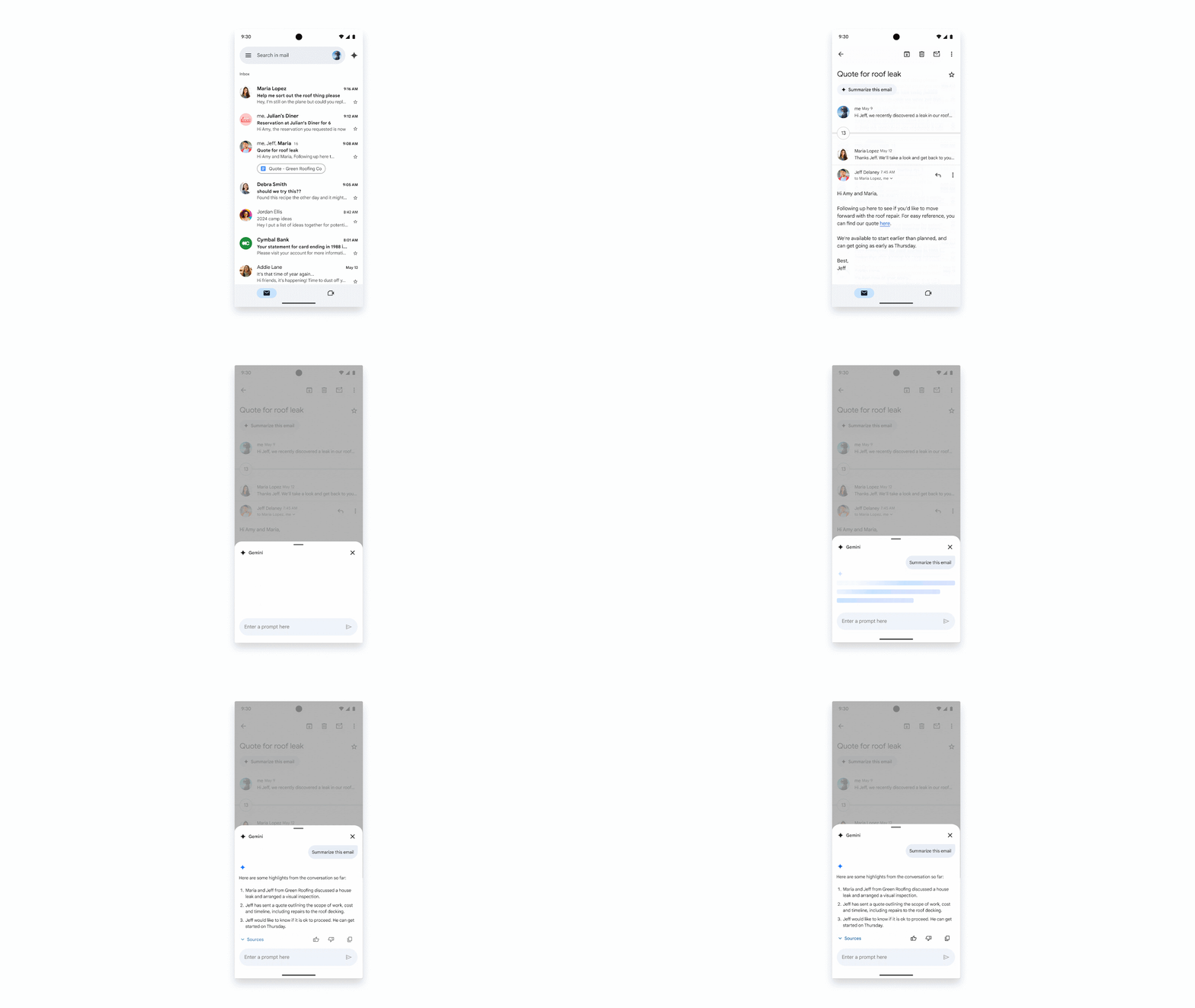
Starting today, you can also use Gemini in the Gmail mobile app on Android and iOS to analyze email threads and see a summarized view with the key highlights, just as you can with the side panel on the web. This is useful when you’re on the go, especially because reading through long email threads can be time consuming and even a bit of a challenge on a smaller screen. Additional mobile features like Contextual Smart Reply and Gmail Q&A are coming soon. guages.
 Polish
  English